
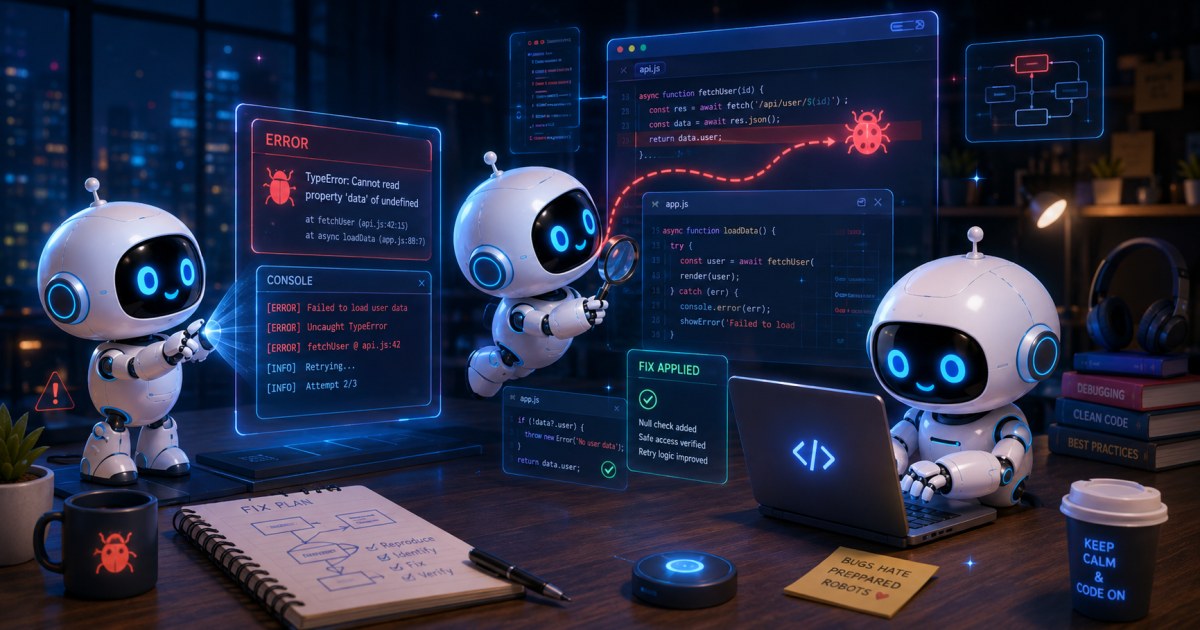
How to Separate Product Bugs from Monitoring Noise in AI UI Release Triage
By Antoine Dubois · July 16, 2026
A practical guide to release triage for AI UI releases, covering product bugs, observability noise, model variance, and frontend regression signals.
When an AI-powered UI starts failing after a release, the hard part is often not spotting the failure, it is deciding what kind of failure it is. A button can disappear because a frontend selector broke, because the model response drifted, because the telemetry pipeline delayed an event, or because the app behaved exactly as designed but the test was too strict. For teams shipping AI UI releases, that distinction shapes whether you roll back, patch the product, adjust the monitor, or update the test.
This is where release triage gets noisy. Traditional UI regression workflows assume deterministic behavior, but AI-assisted interfaces introduce variability at several layers: the model, the prompt, the frontend, the browser, and the observability stack. If your team treats every failure as a product bug, you will burn time on false alarms. If you treat too many failures as noise, you will miss real regressions that affect users.
The practical goal is not to eliminate all ambiguity. It is to build a triage process that separates product bugs from monitoring noise fast enough to protect release velocity, while still being strict enough to catch genuine frontend regression signals.
What makes AI UI release triage different
A standard web release often has a narrow failure shape. A selector changes, a network call fails, or a visual element shifts. AI UI releases are broader because the UI itself may depend on a probabilistic system. That creates several kinds of uncertainty:
- The same input can produce slightly different output text.
- A model can return an acceptable answer in a different format.
- The UI can render correctly, but an event listener or analytics hook can miss the state change.
- A latency spike can make the app appear broken even when the underlying flow completes.
- A monitor can fail because it is asserting on unstable text rather than on business outcome.
The result is that one failing check is not enough to explain the problem. In practice, triage needs a layered view of the release path.
A useful rule: the closer the failing assertion is to user-visible business behavior, the more likely it is to represent a product issue. The closer it is to an instrumented detail, the more likely it needs validation before you treat it as a regression.
That rule is not perfect, but it helps teams prioritize their investigation.
Start by classifying the failure surface
Before you decide whether something is a bug or noise, classify where the signal came from. This avoids chasing the wrong layer first.
1. Product behavior failures
These are failures users can directly experience:
- A CTA is missing or disabled incorrectly.
- The AI response is wrong, unsafe, or missing required content.
- The conversation gets stuck and cannot proceed.
- A form submission is blocked by a UI state bug.
These are the highest priority because they affect the product itself.
2. Observability noise
These are issues in the monitoring or reporting path:
- A tracing event arrives late or out of order.
- A synthetic check times out, but the user path would have succeeded with a realistic timeout.
- A metrics spike is caused by retry behavior, not user failures.
- A monitor flags an expected content change as a failure.
These deserve attention, but not always rollback-level urgency.
3. Expected model-side variance
These are cases where the AI output is different but still acceptable:
- Different phrasing with the same meaning.
- A reordered list that preserves semantics.
- Slightly different confidence text or tone.
- A model chooses one of several valid completions.
If your test treats any variation as a defect, the test design is too rigid.
4. Real regression masked as variability
This is the dangerous category, because it looks like noise at first:
- The model still answers, but answer quality degrades.
- The UI still renders, but only after a long delay that users will notice.
- The flow still completes, but an edge-case guard no longer fires.
- A component still displays, but the accessibility tree no longer exposes the control correctly.
The triage process should be built to catch this category without overreacting to the others.
Use a decision tree, not a single verdict
Many teams try to resolve triage with a one-line question, such as “Did the test fail?” That is too shallow. A better approach is a short decision tree that evaluates evidence in stages.
Step 1: Is the failure reproducible under the same conditions?
Re-run the flow with the same build, same prompt, same browser version, and same test data. If it is reproducible, you have a stronger case for a product issue. If it is intermittent, continue investigating, but do not assume noise yet.
Common traps:
- The browser test uses a dynamic locator that matches a transient element.
- The prompt is underspecified and the model varies naturally.
- The test data includes timestamps or generated IDs that change on each run.
- The environment has a race condition that only appears under load.
Step 2: Did the user-visible outcome fail, or only the assertion?
A failure in the assertion can still be a good signal, but it needs validation. For example, a test might check exact text, while the product only needs semantic meaning. In that case, the test is too sensitive.
A user-visible failure is more convincing if:
- The UI never reaches the intended state.
- The next step cannot be completed.
- The result is clearly incorrect or harmful.
- A core accessibility or navigation control is missing.
Step 3: Which layer changed in the release?
If the release changed only the frontend shell, a model output regression is less likely unless the UI also changed the prompt, message framing, or downstream interpretation. If the release changed the model version or orchestration logic, output variance becomes more plausible.
This is where release metadata matters. Triage improves when your team can answer:
- Did the prompt template change?
- Did the model version change?
- Did the UI component tree change?
- Did the API contract change?
- Did the analytics or monitoring configuration change?
Step 4: What independent evidence supports the failure?
The best triage signals are cross-validated by more than one source:
- Browser screenshots or video
- Network logs
- Console errors
- Model response logs
- Server-side traces
- Synthetic monitor history
- User session recordings
If only one instrument shows failure, and the rest show success, you may be dealing with noise.
How to read frontend regression signals without overfitting to noise
Frontend regression signals are valuable because they are close to the user. They are also easy to misuse. The most common mistake is testing implementation detail instead of outcome.
Prefer stable assertions over exact text when the UI is intentionally flexible
AI interfaces often contain variable language. If a screen can express the same outcome in multiple ways, a test should validate the business intent, not a single sentence.
For example, instead of asserting:
typescript
await expect(page.getByText('Your request was successfully processed')).toBeVisible();
it may be more robust to assert on a visible state plus a stable UI affordance:
typescript
await expect(page.getByRole('status')).toContainText(/processed|completed|submitted/i);
await expect(page.getByRole('button', { name: /continue|done/i })).toBeVisible();
This is not about lowering the bar. It is about matching the assertion to the product contract.
Treat selectors as a risk surface
A broken selector often looks like a product failure because the test cannot find the element. But if the UI is still functioning, the issue may be the test, not the app. Selector stability matters even more in AI UI releases, where content often changes dynamically.
Prefer selectors that map to semantics rather than appearance:
getByRolegetByLabelgetByTextonly when the text is stable enough- data attributes for intentionally testable hooks
A flaky selector can create monitoring noise that masks genuine regressions.
Watch for asynchronous rendering races
AI UIs often chain several asynchronous steps, for example prompt submission, model response, response streaming, post-processing, and final render. A monitor can fail if it checks too early. That is an observability issue, not necessarily a product bug.
A useful pattern is to wait for a meaningful state transition, not just a network response. For example:
typescript
await page.getByRole('button', { name: /send/i }).click();
await expect(page.getByRole('status')).toHaveText(/generating|processing|complete/i, { timeout: 15000 });
await expect(page.getByTestId('assistant-message')).toBeVisible();
The exact state machine depends on the product, but the principle is consistent, assert on the completion condition, not the intermediate plumbing.
Distinguish model variance from regressions
Model-side variance is unavoidable in many AI products. The challenge is defining which kinds of variance are acceptable.
Acceptable variance usually preserves intent
Examples of acceptable variance include:
- paraphrased wording
- reordered but complete lists
- different examples that satisfy the prompt
- equivalent explanations in a different tone
Regression usually breaks intent or constraints
Examples of real regressions include:
- omitted required fields
- hallucinated unsupported claims
- broken schema or malformed JSON
- unsafe or policy-violating output
- missing completion tokens that prevent UI progression
If your test environment can score outputs semantically, you can reduce noise significantly. That may involve rules, schema validation, similarity checks, or LLM-based evaluation. Each has tradeoffs.
Rule-based checks
Good for:
- structured outputs
- required fields
- formatting invariants
Weakness:
- brittle for flexible language
Schema validation
Good for:
- JSON payloads
- function-calling results
- API-driven AI flows
Weakness:
- schema compliance does not guarantee usefulness
Semantic evaluation
Good for:
- open-ended responses
- intent preservation
- summary quality
Weakness:
- adds another model or scoring layer, which can itself introduce noise
In practice, many teams use a layered approach, a strict schema for structure, plus semantic checks for meaning, plus a small number of human-reviewed gold cases for calibration.
A practical triage matrix for AI UI releases
One way to reduce debate is to standardize severity and confidence separately.
| Signal | User impact likely? | Reproducible? | Likely category | Suggested action |
|---|---|---|---|---|
| UI control missing for all users | Yes | Yes | Product bug | Block or roll back |
| Prompt output wording changed, meaning preserved | No | Yes | Model variance | Adjust assertion or baseline |
| Monitor timed out, but logs show completion | Maybe | Intermittent | Observability noise | Fix wait condition or timeout |
| Result format broke schema | Yes | Yes | Product bug | Block if downstream depends on it |
| Single synthetic check failed once | Unknown | No | Noise or flaky test | Re-run and correlate with telemetry |
| Accessibility state no longer exposes control | Yes | Yes | Product bug | Treat as regression |
The important practice is to keep severity separate from confidence. A low-confidence issue should not trigger a rollback just because the potential impact is large. It should trigger more evidence gathering.
Correlate release triage signals before escalating
The most useful triage question is often, “What else changed?” A noisy failure becomes much easier to interpret when correlated with deployment and runtime context.
Correlate by build and environment
Track these dimensions for every alert or failed check:
- commit SHA or release version
- model version and prompt version
- browser version
- environment name
- locale and region
- feature flags
- test data version
If the failure only appears in one browser or one locale, the issue may be environmental. If it only appears on one prompt version, the issue may be model orchestration.
Correlate by user path
A failed dashboard smoke test might hide the fact that only one path is broken. For AI UI releases, map checks to user journeys:
- onboarding
- search or retrieval
- generation and refinement
- submission or export
- escalation to human review
A bug in one path should not poison the release decision for unrelated paths.
Correlate by telemetry type
The same event can tell different stories depending on where it appears:
- frontend error logs suggest a rendering issue
- backend traces suggest service latency or failure
- model logs suggest prompt or inference issues
- analytics drops suggest instrumentation drift
If the product is working but analytics disappeared, that is observability noise, but it still matters because it can degrade future triage.
Build monitors that reflect the product contract
A lot of monitoring noise comes from tests that encode assumptions the product never promised. The fix is to define the contract more carefully.
Good contracts are observable and stable
Examples:
- A generated response must contain a valid summary and a source list.
- A task submission must reach a completed state within a reasonable window.
- A reply must not include blocked content categories.
- A user can continue the workflow without manual page refresh.
These are better than asserting exact phrasing or incidental UI layout.
Separate smoke checks from diagnostic checks
A release gate does not need every possible assertion. It needs a small set of high-signal checks. Deeper diagnostic tests can run after the gate, helping teams understand failures without blocking deployment on every flaky branch of the UI.
A practical pattern is:
- smoke checks, small number, high confidence, release blocking
- extended checks, broader coverage, non-blocking but visible
- exploratory review, manual or semi-automated, for ambiguous cases
This reduces the incentive to turn one unstable monitor into a gatekeeper for everything.
Common failure modes that look like product bugs
Several failure modes recur in AI UI release triage.
1. Timeout mismatch
The product completes, but the monitor times out too early. This is common when model latency varies. Fix the timeout only after checking whether the product still meets user expectations.
2. Brittle text matching
The UI changed from “Processing” to “Working on it,” and the monitor flagged a failure. If both states mean the same thing, the test should be more semantic.
3. Streaming incomplete assertions
The UI streams partial text, but the test inspects the DOM before the stream finishes. Wait for a stable terminal state or a completion marker.
4. Analytics confusion
A dashboard shows no event because the event schema changed. The UI is fine, but observability drift creates false incident pressure.
5. Model output drift within tolerance
The AI response changed slightly but is still acceptable. If the product contract allows flexibility, this is not a defect, but it does require baseline maintenance.
What a good triage workflow looks like for teams
The best triage process is boring, repeatable, and visible to the whole team.
Define ownership by failure class
Not every failure should go to the same queue.
- frontend bugs go to the frontend lead or on-call engineer
- model output issues go to the AI or platform owner
- monitoring drift goes to the QA automation or observability owner
- environment issues go to infrastructure or release engineering
This prevents everyone from reading the same alert and assuming someone else owns the next step.
Require evidence before escalation
A triage ticket should capture:
- failing check name
- build and environment metadata
- screenshot or trace link
- last known good run
- reproduction steps
- whether the failure is user-visible
- whether the same result appears in a second run
This makes escalation faster and makes false positives easier to dismiss.
Keep a small set of known-noise patterns
If a pattern fails repeatedly but does not map to user impact, document it. Common examples include:
- flaky third-party widgets
- non-critical animation timing
- analytics events that lag behind render
- acceptable prompt phrasing variation
That does not mean ignoring them forever. It means they should not consume release triage bandwidth every time they recur.
When to treat noise as a real issue
Noise is not always harmless. Repeated monitoring noise can hide real regressions, and false alerts can train teams to ignore dashboards. That is a risk in itself.
Treat noise as a real issue when:
- it obscures the signal needed for release decisions
- it causes repeated manual triage work
- it masks a security, accessibility, or compliance regression
- it makes on-call engineers distrust the monitoring system
- it correlates with release changes in adjacent code paths
In other words, observability noise is still a product risk if it degrades decision quality.
A practical playbook for the next failing AI UI release
When a new failure appears, use this order of operations:
- Re-run the check once under the same build and environment.
- Confirm whether the failure is user-visible or assertion-only.
- Compare the failing path with the last known good run.
- Check whether the release changed prompt, model, UI, or telemetry.
- Correlate logs, traces, screenshots, and browser console output.
- Decide whether the fix belongs in product code, test logic, or monitoring configuration.
- Update the test or monitor if the issue was an expectation mismatch.
This workflow is deliberately simple. The point is to reduce the time spent arguing about the category and increase the time spent gathering discriminating evidence.
Why this matters for release velocity
Teams often talk about test reliability as if it were only a QA concern. In reality, separating product bugs from monitoring noise is a release engineering concern, a frontend architecture concern, and a management concern.
If the triage path is noisy:
- releases slow down because every signal is treated as suspicious
- engineers lose trust in the monitors
- rollbacks become more frequent than necessary
- model changes are harder to ship safely
- QA time shifts from validation to debate
If the triage path is too permissive:
- regressions reach users
- instrumentation drift goes unfixed
- the team develops a false sense of safety
The best teams do not seek perfect certainty. They optimize for fast, evidence-based decisions with a clear bias toward user impact.
Closing thought
The phrase separate product bugs from monitoring noise in AI UI release triage sounds simple, but the actual work is about aligning test design, telemetry, and product contracts. AI UI releases are inherently more variable than classic deterministic UI flows, which means release triage must be stricter about evidence and more flexible about expected variance.
If you want fewer false alarms, do not only tune the monitor. Tighten the contract, improve the correlation data, and make the assertions match what the user actually experiences. That is how teams keep frontend regression signals useful without turning every model fluctuation into an incident.
Further reading
- Software testing
- test automation
- Continuous integration